Our top picks at a glance
Comparison table
Detailed reviews
Every monitor below spent at least six nights in our testers’ nurseries. We measured range through two walls and a floor, timed battery life with continuous video, and logged every dropped connection.
LullaView Pro 2K Video Monitor
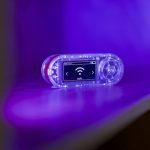
The best all-round baby monitor we tested. The picture is sharp even in total darkness, the parent unit lasts all night, and the closed connection means nothing ever touches the internet.
Pros
- 2K night vision, no Wi-Fi needed
- 1,000 ft range
- 14-hour battery
Cons
- No phone viewing
- Pan motor slightly audible
Hushly Split-Screen Duo
If you need to watch two rooms, Hushly is a bargain. Both cameras show side by side, and the temperature alerts saved one of our testers from an overheated nursery.
Pros
- Two cameras included
- Split-screen view
- Room temp alerts
Cons
- Bulky parent unit
- Menus feel dated
PeekaBoo Lite Wi-Fi Cam
The cheapest way to get a good picture on your phone. Setup takes five minutes and alerts are fast, but you'll want solid Wi-Fi in the nursery.
Pros
- Watch from anywhere
- Cry & motion alerts
- Very affordable
Cons
- Needs strong Wi-Fi
- Cloud history is a subscription
DreamGuard Breathing Sensor Kit
The most complete smart kit we tested. The sleep reports are genuinely useful, and the dual connection keeps working even if your Wi-Fi drops.
Pros
- Under-mattress breathing pad
- Sleep analytics app
- HD camera included
Cons
- Pricey
- Pad needs a firm mattress
CalmCrest Audio Monitor
Simple, crackle-free audio and a battery that lasts days. A great pick for toddlers or as a backup monitor.
Pros
- Zero interference
- Night light built in
- 30-hour battery
Cons
- No video
- Basic design
Buying guide: how to choose a baby monitor
Wi-Fi vs. non-Wi-Fi
Wi-Fi monitors let you check in from your phone anywhere, but depend on your router and app. Non-Wi-Fi (FHSS) monitors use a closed connection to a dedicated screen. They’re more private and reliable, but only work around the house.
Video, audio or smart sensors?
Audio monitors are affordable and great for older babies. Video adds peace of mind for newborns. Smart kits add breathing or sleep tracking. Treat these as a comfort feature, not a medical device.
Range and battery
For most homes, 600–1,000 ft of rated range is plenty. Look for a parent unit that lasts at least 10 hours on video so it survives the whole night.
Frequently asked questions
Do I really need a video baby monitor?
Not always. Audio monitors work well for many families, but video makes it easier to check on a newborn without opening the door.
Are Wi-Fi baby monitors safe from hackers?
Choose a brand with two-factor login and regular firmware updates, and change the default password. If privacy is your top concern, a non-Wi-Fi model is the safest choice.
When can I stop using a baby monitor?
Most parents stop between ages 2 and 4, once their child sleeps reliably through the night in their own room.
About the author: Sarah Whitman
Sarah is a mom of two and has reviewed baby gear for 9 years. She has tested more than 300 strollers, car seats and monitors, and still checks her own monitor twice a night.
Related guides
Newborn essentials checklist: what you actually need (and what to skip)
The 32 items our parent testers used every day in the first three months.
Safe sleep 101: setting up a nursery the right way
Room temperature, crib setup and monitor placement, explained simply.